
A visual workspace for managing documents and systems
– Manage HSEQ processes, documents and information more efficiently
Why choose PRO24 Desktops?
Find information faster
Find what you need instantly and reduce time spent searching for documents and information.
Direct access to content
Access documents, media, system functions and external links through customisable views.
Adapts to your needs
Design desktops to match your structure and visual guidelines using colors, layouts and content.
Document compliance
Keep documents up to date with version control, approval workflows and automated review reminders.
Supports everyday work
Provide employees with quick access to work instructions, drawings, measurements and reporting tools.
Everything in one view
Bring documents, metrics and key functions together in one centralized and easy-to-use view – also in mobile.
PRO24 Desktops – centralized solution for managing documents
PRO24 Desktops serve as a visual and clear platform for managing documents and for building and communicating various topics and document collections, both within and outside the organization.
When everything you need is in one view, you don’t waste time searching for information—you spend it working. Desktops support both daily operational work and management by providing a centralized view of documents, metrics, and key functions.
You can build the desktop into a logical and easily understandable whole using colors that match the company’s own graphic guidelines. Link buttons let you open documents, images, videos, system functions, or links to external systems directly from the view.
You can add link buttons to the view, providing direct access to the measurement tables, drawings, and work instructions needed for the job, as well as reporting functions for deviations, disturbances, and safety observations. In this way, the desktop supports practical work and streamlines the use of information in everyday life. If necessary, you can password-protect the view.
Management of ISO 9001, ISO 14001, and ISO 45001 documents on a single desktop
You can use desktops to build a clear and centralized view of ISO management systems. Users can see information that is important to their role at a glance and quickly access the documents they need.
PRO24 functions as a comprehensive system for managing documents, and part of the HSEQ package, providing a controlled and reliable solution for storing, version control, and maintenance of an organization’s documents. All key information is easy to find and always up to date, which streamlines daily operations and supports smooth workflows.
The solution follows the requirements for the ISO 9001 standard for managing documents. Version management ensures that users always have access to the correct and valid version, and that users can access previous versions if necessary. The approval cycle guides content through a controlled review and approval process before publication.
When managing documents in the system, you can set a review interval for them, in which case the person responsible will receive an automatic reminder of the need for review. This ensures that content remains up to date even when operations change. Managing documents effectively provides a reliable foundation for management and facilitates compliance with standard requirements throughout the organization.
Customer review
“In the past, safety documents were printed and stored in a physical folder, which was quite difficult to maintain and sharing documents between different departments was a challenge.“
























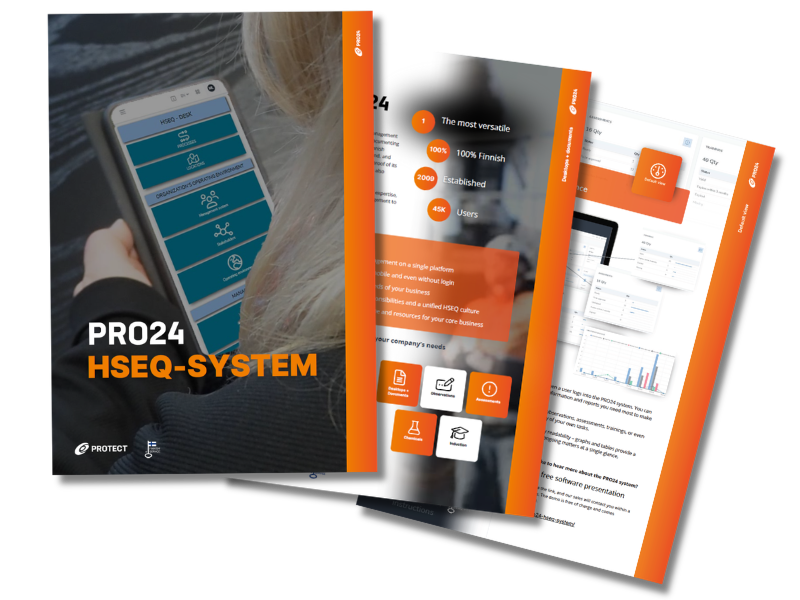
Explore the PRO24 brochure
Discover the PRO24 HSEQ software’s versatile features
PRO24 Desktops benefits for your organization
Information management made efficient with PRO24 Desktops
Stop wasting valuable working time looking for information. PRO24 Desktops provide a clear and visual platform for management systems, documents and even internal communication.
See also other PRO24 functionalities and expand the system module by module, according to your organisation’s needs.

PRO24 system grows in modules
Build your PRO24 HSEQ system one module at a time or deploy the full solution at once. Discover the full potential of PRO24.