Report and manage safety observations with ease

– Capture observations, track deviations and improve workplace safety in real time.

Why choose PRO24 Observations?

All in one system

Manage observations, near misses, accidents and deviations in one centralized and easy-to-use platform.

Flexible for your processes

Customize forms, workflows and responsibilities to fit your organization’s processes and way of working.

Easy Reporting

Enable fast and effortless reporting via QR code or link—no login required, making reporting quick and accessible.

Clear workflows

Guide every case through a structured process—ensuring clear responsibilities, consistent handling and proper follow-up.

Real-time visibility

Get a centralized, real-time overview of incidents, actions and overall safety performance.

Data-driven improvement

Turn observations and incident data into insights that drive continuous safety and operational improvement.

Stronger safety through systematic insight


PRO24 Observations is a key part of the SaaS-based HSEQ system. The module enables the reporting, processing, and analysis of various workplace incidents, such as near misses, deviations, and observations, on a single platform. The system supports systematic deviation reporting and serves as an effective accident reporting system for the needs of various industries.

The reporting system adapts to your organization’s own operating methods: report types, forms, and workflows are freely customizable, and you can direct responsibilities and approvals to the right people. You can also easily submit reports without logging in, using a QR code or direct link.

Centralized monitoring, clear workflows, and versatile reporting and summary views support both day-to-day operations and management decision-making—all from a single view, in real time.

PRO24 Observations is a key part of the company’s occupational safety system and enables systematic monitoring of occupational safety. Analyzing safety deviations, accidents, and observations helps identify root causes and develop operations in the long term.

Examples of PRO24’s versatile observation types

  • Initiatives
  • Near-miss observations
  • Positive safety observations
  • Quality deviations
  • Supplier complaints
  • Environmental observations
  • Safety observations
  • Production failure observations
  • Accident and incident reporting

Benefits of PRO24 Observations for your business

All observations are handled according to a user-defined process, ensuring the efficient completion of actions.

The notification workflow can be defined according to the needs of the organization, from notification through classification and investigation to measures, evaluation, and approval.

• Standardize the processing of notifications
• Define the notification processing flow for each notification
• Responsibility for notifications to individuals or groups
• Restrict the visibility of certain notifications within your organization using notification type confidentiality rights groups.
• Direct the user who submitted the notification to the site of your choice with a direct link.

PRO24’s reporting features support comprehensive occupational safety reporting and enable real-time monitoring of safety trends.

The processing and approval of notifications is assigned to designated individuals, and automatic notifications of new events are set up for users or user groups. Confidential notifications are only visible to those involved in the processing. The actions to be taken in connection with the processing of notifications are defined, assigned, and scheduled in the system.

• Analyze root causes and define and schedule measures
• Appoint a person responsible for handling the report and taking the necessary follow-up measures.
• Enrich your reports with pictures, files, and other attachments.
• Set reminders for open notifications and related actions to avoid oversights
• Monitor the progress of measures in real time and assess their effectiveness

Observation types can be created based on the system’s ready-made standard forms or customized entirely according to the organization’s needs. With customizable forms and form templates, fields can be freely added, named, or deleted.

• Get started easily with ready-made notification templates
• Edit ready-made templates to suit your needs or create an unlimited number of completely new ad types.

Reports can be submitted by logging into the SaaS service or, alternatively, without logging in, using a QR code or direct link. If necessary, the link can be password-protected, which allows notifications to be collected even without user IDs, for example from contractors, cleaners, or visitors. Documents and photos can be easily attached to the notification either from a computer or directly from a mobile device.

• Easily collect notifications via QR code, direct link, or traditional login
• Receive notifications from people outside your organization without logging in
• Protect the QR code or link with a password if necessary.
• In addition to text, attach videos, images, and links to other documents or websites to your announcement.
• Smooth operation is also optimized for mobile devices without a separate mobile application.

The status of notifications and measures can be monitored centrally and in real time in both the notification report views and the PRO24 summary view.

The PRO24 summary view provides reports and graphical indicators with targets that support management and trend monitoring, as well as an up-to-date overview of the organization’s notification status.

Extensive search and filtering features allow users to quickly find the information they need for reporting and analysis. For recurring needs, users can create their own list views, which can be used to compile near-miss reports, for example.

• Follow notifications and their processing in real time in the notifications report section.
• Change the reporting view with a single click according to standard views
• Filter standard views to display only the information that is most important to you.
• Bring the most important information to widgets PRO24 start page summary view

  • Customer review

    There has been a significant increase in the number of accident and near miss reports. Even minor near misses are being recorded, and investigations are helping us to better identify risk factors.

    HSEQ-Manager
    Wood Processing Industry
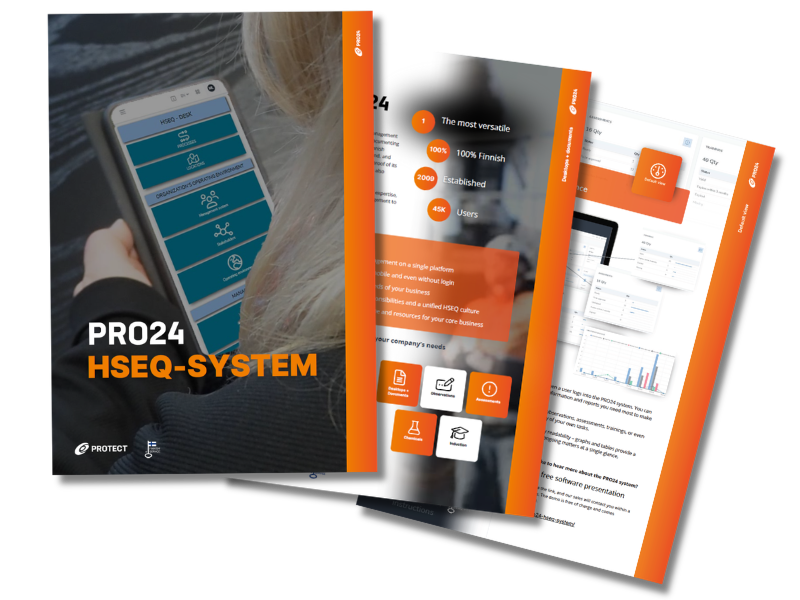
PRO24 HSEQ software brochure to discover the system's versatile features.

Explore the PRO24 brochure

Discover the PRO24 HSEQ software’s versatile features

FAQ PRO24 Observations

PRO24 Observations is a dynamic reporting system for managing safety observations, near misses, deviations, incident reports, improvement suggestions and positive observations. Organizations can create an unlimited number of custom report types, allowing the same module to adapt to a wide range of HSEQ reporting needs.

The module is ideal for organizations that want to make reporting easy while ensuring that every report is assigned to the right responsible person, processed properly and followed up with corrective actions when needed. It is often the fastest self-service starting point within PRO24, because the first results can already be seen with a single real reporting form and workflow.

Yes. Reports can be submitted through direct-access links without requiring login credentials. This is especially useful for employees, contractors, visitors and mobile users when the goal is to make reporting as low-threshold and accessible as possible.

Yes. Organizations can create their own reporting forms without software development. Forms can include elements such as selection lists, text fields, number fields, text areas and dropdown menus. During the trial, it is recommended to test one custom form that matches your current observation, deviation or incident reporting process.

Yes. Organization-specific workflows can be created for reports, including stages such as reporting, classification, investigation, corrective actions, impact assessment and approval. This helps organizations evaluate during the trial whether PRO24 supports their current process or whether the existing workflow could also be simplified.

Yes. The system supports responsible persons for reports, corrective actions, approvals and impact assessments. This ensures that a report does not remain an isolated message, but instead has clear ownership and follow-up.

Yes. Real-time dashboards, reports and monitoring views can be created based on organizational needs. This helps users track open reports, corrective action status, report categories and long-term development trends.

Yes. The system can create secure shareable report views and direct-access links for intranets or selected external stakeholders. Access rights should be configured according to which information can be shared more broadly and which should remain restricted to selected user groups.

Yes. PRO24 Observations includes a REST API interface for transferring data to other systems. This is useful when reporting data needs to be connected to analytics, maintenance systems, ERP platforms or other operational systems.

Yes. Confidential information can be restricted to selected access rights groups only. This is especially important in processes related to incidents, personal data, investigations or sensitive deviations.

Yes. PRO24 works through a browser on smartphones, tablets and computers without requiring a separate mobile application.

Choose one real reporting type, such as a safety observation or deviation report. Build the form, share the reporting link or QR code, create a test report, assign a responsible person and monitor the progress through the dashboard. This quickly demonstrates whether the module is the right starting point for your organization.